Know who's sending email as your domain. Then stop the ones who shouldn't.
Scammers can send email that looks like it came from you — to your customers, staff and suppliers. DMARCLoop shows you exactly who is sending in your name, sorts the real senders from the fakes, and walks you to full enforcement without losing a single real message.
Free plan · no card · everything to reach p=reject
Reads the reports from the mail everyone already sends
- Google Workspace
- Microsoft 365
- Mailchimp
- SendGrid
- Salesforce
- Zendesk
Anyone can put your name on an email
Email was built to be trusting. Nothing stops a stranger from putting your company's name in the "From" line and sending it to whoever they like — that's how most phishing and invoice fraud works. DMARC locks this down, and Google, Yahoo and Microsoft now expect you to have it if you send in any volume.
The catch: turn it on carelessly and you don't just block the fakes. You block your own invoices, booking confirmations and payroll notices, and no one tells you it happened. That's the problem DMARCLoop is built to solve.
We find your real senders first, then help you block the rest
-
See every sender
The big mail providers report on every message using your domain. DMARCLoop reads those dense files for you and turns them into a plain list: your CRM, your payroll provider, your newsletter tool — and the one failing for nine days straight that you don't recognise.
-
Know when it's safe to tighten
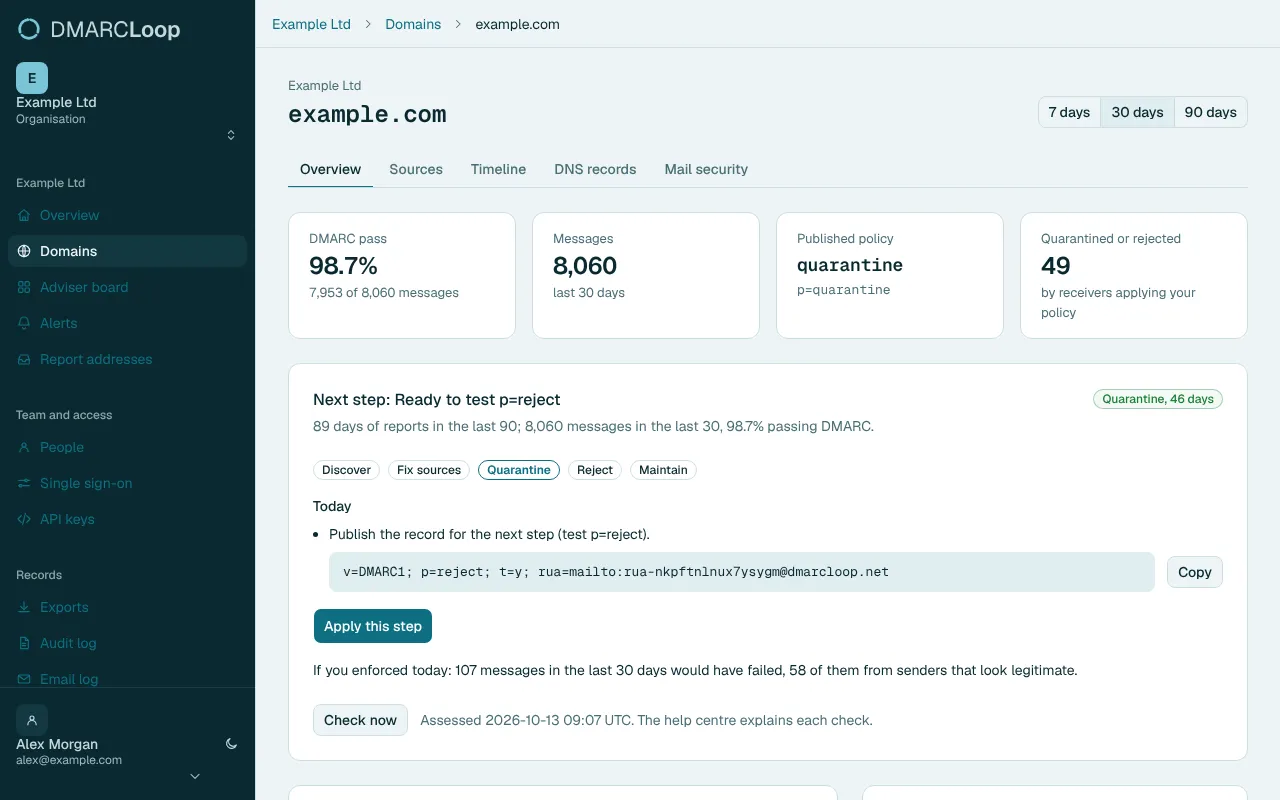
Move from p=none to p=reject too early and you cut off a real sender you forgot about. DMARCLoop watches the traffic and only tells you to tighten once the evidence says it's safe — and names the exact sender if something is still in the way.
-
Never break your own mail
The part most tools get wrong. DMARCLoop won't recommend a change that would drop legitimate messages, and if a real sender ever starts failing you get an email the same morning — before your customers notice, not after.
- 9 free tools, no account needed
- RFC 9989 DMARCbis — the current spec, not obsolete 7489
- 10,000 messages a month on the free plan
- Same-day alerts when a real sender starts failing
From p=none to p=reject, without the guesswork
-
1
Point your reports at DMARCLoop
Publish a DMARC record at p=none with our rua address. Takes one DNS change; we walk you through it. Reports start arriving within a day.
-
2
Watch your real traffic build
We sort every source into people you recognise and people you don't, and track alignment over time — so you can see, not guess, what enforcement would block.
-
3
Tighten to p=reject, safely
When the evidence says every legitimate sender is covered, DMARCLoop tells you it's time — and keeps watching so nothing quietly breaks afterwards.
Free to reach p=reject
No stripped-down "starter". The free plan has everything you need to monitor up to 3 domains and get to p=reject, capped at 10,000 messages a month. Paid plans add domains, volume and longer report history, plus MTA-STS & TLS reporting and compliance reports.
Free
$0 No card required.
Monitor up to three domains and get to p=reject with the adviser.
Start freeNine DNS & email tools you can use right now, no account
Check a domain's SPF, DKIM and DMARC in one go, build a record step by step, or turn an unreadable report file into something you can read. Three run entirely in your browser, so anything you paste never leaves your computer.
- Domain Checker SPF, DKIM, DMARC and MX for a domain, in one look.
- DMARC Inspector Read a domain's DMARC record and flag policy problems.
- SPF Check Expand the include: tree and count DNS lookups against the limit of 10.
- DKIM Inspector Look up a selector and read its tags.
- DKIM Validator Confirm a public key parses, and check its algorithm, length and revocation.
- MTA-STS Checker Fetch the policy file, check its mode, and cross-check the mx list against real MX records.
- MTA-STS Policy Generator Build a policy file and its DNS records in your browser.
- DMARC Record Wizard Build a valid record step by step, all in your browser.
- XML-to-human Converter Turn a report file into a readable summary, without uploading it.
Lock down your domain this week
Start free, publish one DNS record, and watch your real senders appear. No card, no sales call, and you can be at p=reject sooner than you think.