Look around before you sign up
The demo is DMARCLoop itself, opened on a sample organisation: its domains, the reports behind them, every sender by name, and what the adviser says to do next. No account, and nothing you click can change anything.
Opens the demo in this tab. It works on a phone too.
Three places worth a click
-
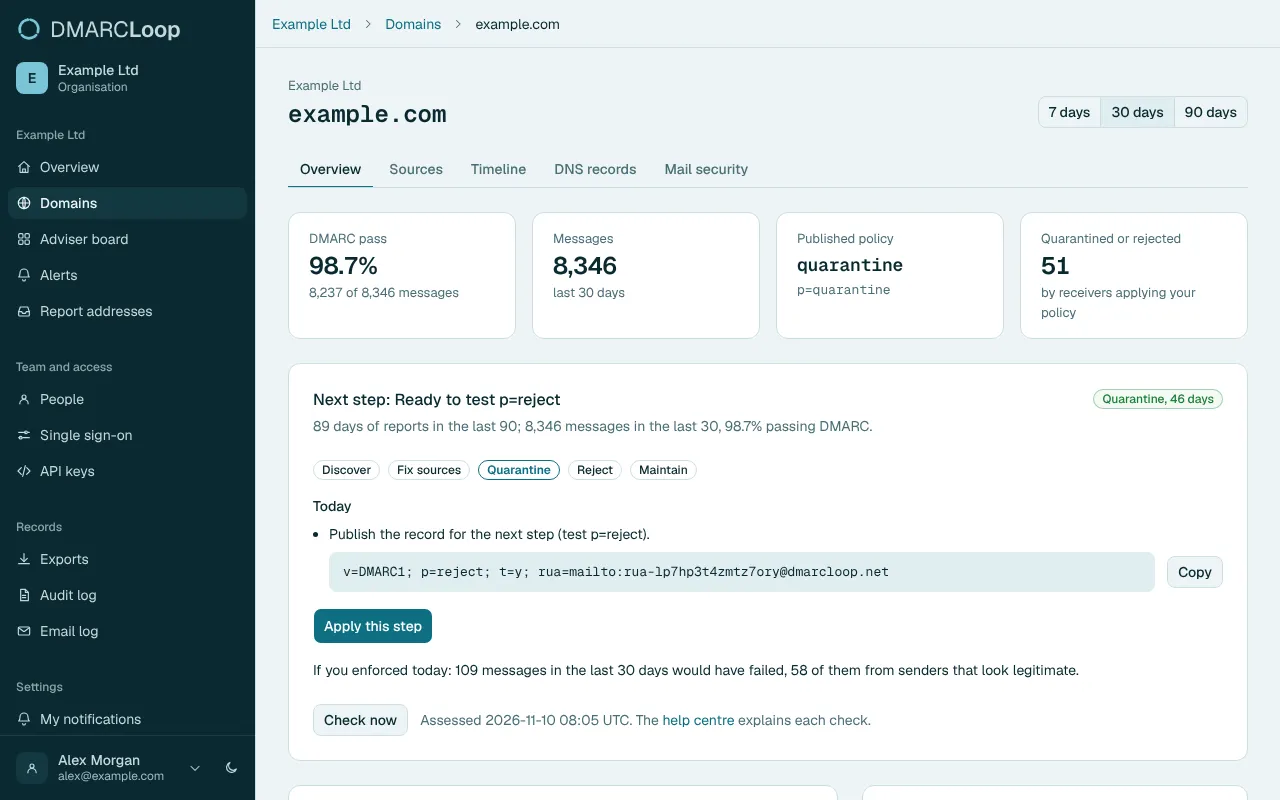
Open a domain's report How much of its mail passes, what policy it publishes, and the next step the adviser suggests. -
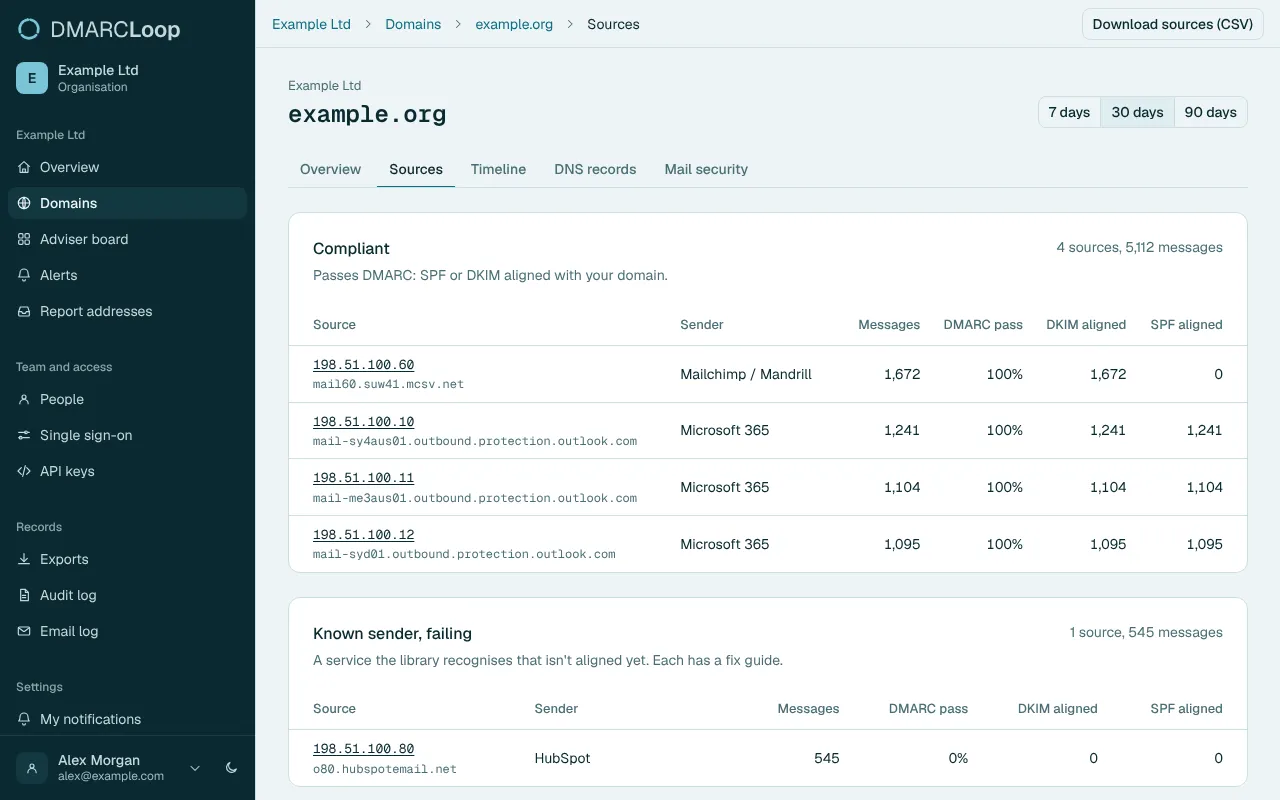
See who is sending Every sender by name: the ones that pass, one that needs fixing, and a few nobody recognises. -
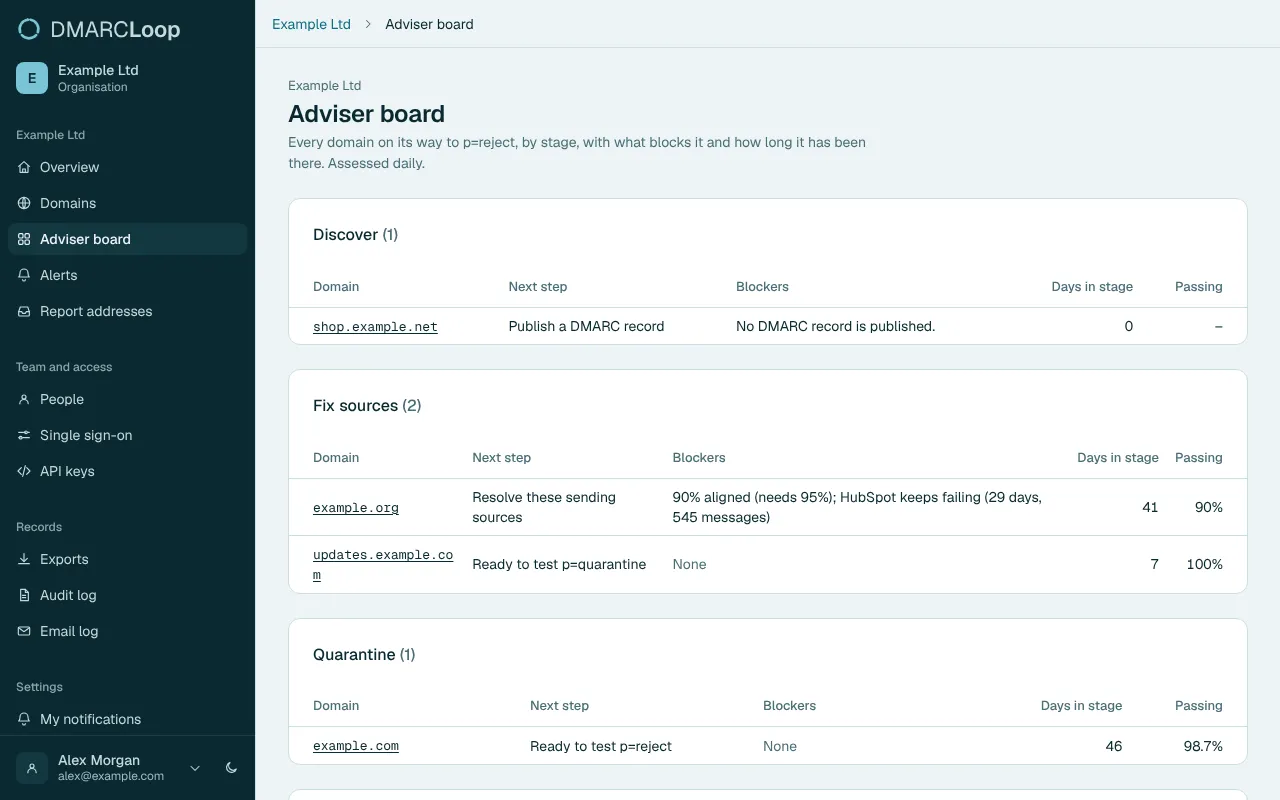
Check the adviser board Which domains are ready to tighten, and exactly what is holding the others back.
The real thing, with made-up data
-
It's the real app
Not a video and not a mock-up. The demo runs the same version of DMARCLoop that customers use, so what you click is what you get.
-
No sign-up, nothing to install
It opens straight into a sample organisation. There is no account to create and no email address to hand over.
-
The data is made up
Every domain is an example domain and every address is from the ranges kept for documentation. The reports are refreshed every night, so the latest one is always yesterday's.
-
You can't break it
The demo is read-only. Buttons that would change something tell you so. Billing, sign-in and account settings are switched off.
Seen enough? See your own senders
The demo shows someone else's mail. Start free, publish one DNS record, and the same pages fill with yours, usually within a day. No card.