Your account Step 30 of 39
Get help from support
Send a support request from inside the app, with your organisation, role and plan attached, and follow your requests until they're answered.
Updated
Help and support, in the left sidebar, sends a message to our support team from inside the app. Everyone in the organisation has it, whatever their role.
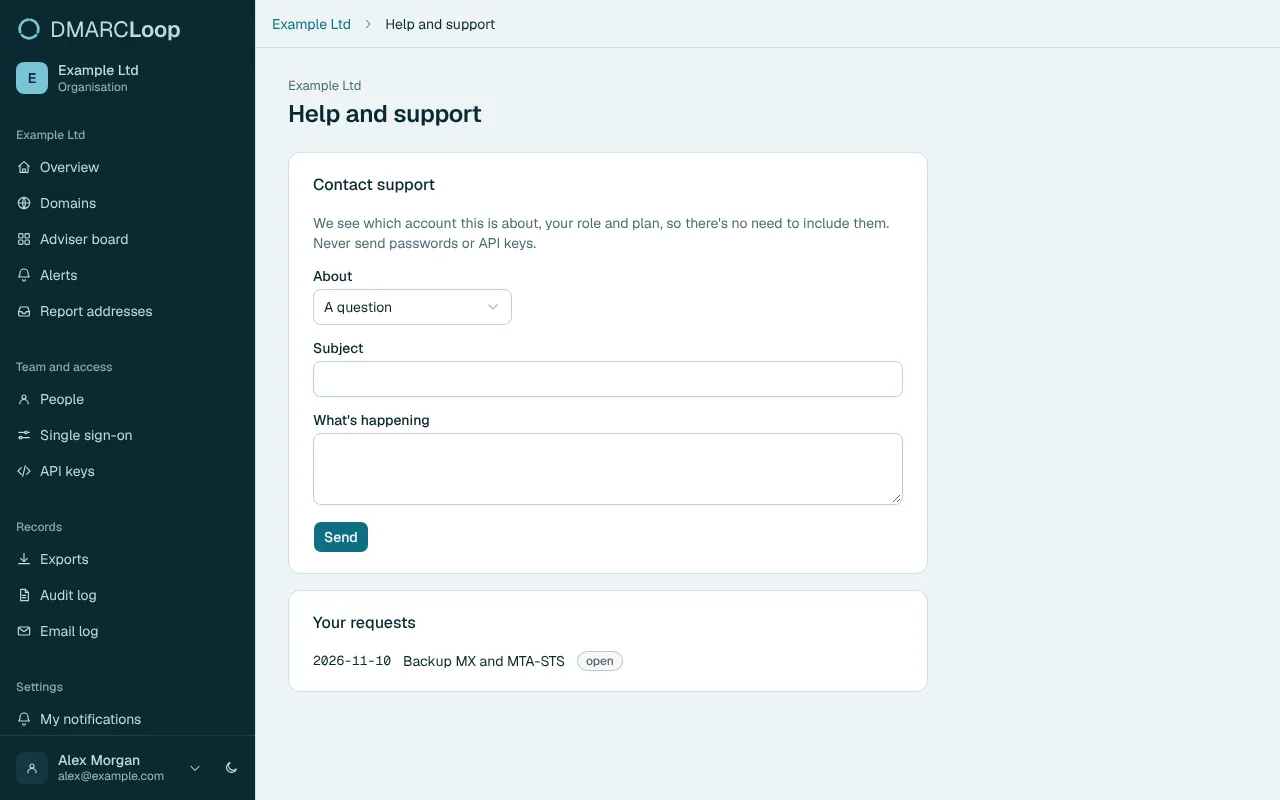
Contact support
- Choose what it’s About: A question, Something isn’t working, Reports or data, DNS records, Billing, A feature request or Something else.
- Give it a Subject and say What’s happening.
- Choose Send.
We see which account this is about, your role and plan, so there’s no need to include them. The page says Sent. We’ll reply to your email address. A person reads it.
Never send passwords or API keys. We never need them.
Your requests
Your requests lists what you’ve sent from this organisation, with the date, the subject and whether it’s open or closed.
Without signing in
If you can’t sign in, use the contact form on this site. Check the status page first if the app isn’t responding.
If your account is suspended
Our support team can suspend an account, for example while we look into a security or billing problem. You’re signed out at once, and signing in says This account is suspended, so you can’t sign in. Nothing in it has been deleted. Your organisations, their domains and reports, and your place in them are all kept, and everyone else in your organisations carries on as normal.
Use the contact form to find out why, or to ask us to restore it. Once we have, you sign in as before.
Next
Stuck? Reply to any email DMARCLoop sends, or contact us - a person reads it.