Your first domain Step 7 of 30
Get your first report
When the first DMARC report arrives, how to tell setup is finished, and what the domain page shows you on day one.
Updated
Once the DMARC record is published, you wait for mail receivers to report. This is the step that proves setup actually worked: a DMARC record with a mistyped reporting address looks perfect in DNS and sends its reports to nobody.
How long it takes
Receivers send aggregate reports once a day, each covering the previous day’s mail, and the large ones batch on their own schedules. The first report usually arrives within 24 to 48 hours of the record going up. Until then the dashboard’s report pages say No reports have arrived yet — that’s expected, not a fault.
When the first report for a domain lands, we email you to say setup is working, with the first numbers.
The setup checklist
Domains → Onboarding lists every domain still being set up, with the most stuck first. Each moves through four steps, and only things we have actually observed tick them off:
- Domain added — a reporting address has been allocated.
- Verify ownership — the verification TXT record matched.
- Publish the DMARC record — we’ve read a DMARC record at
_dmarc. - Receive the first report — at least one aggregate report has arrived.
A domain is only finished at step 4. If 48 hours pass after we first see your DMARC record and still no report has arrived, the step changes from waiting to needing attention — see I published the record and nothing happened.
What the domain page shows
Once the domain is verified and reports are arriving, its page fills in:
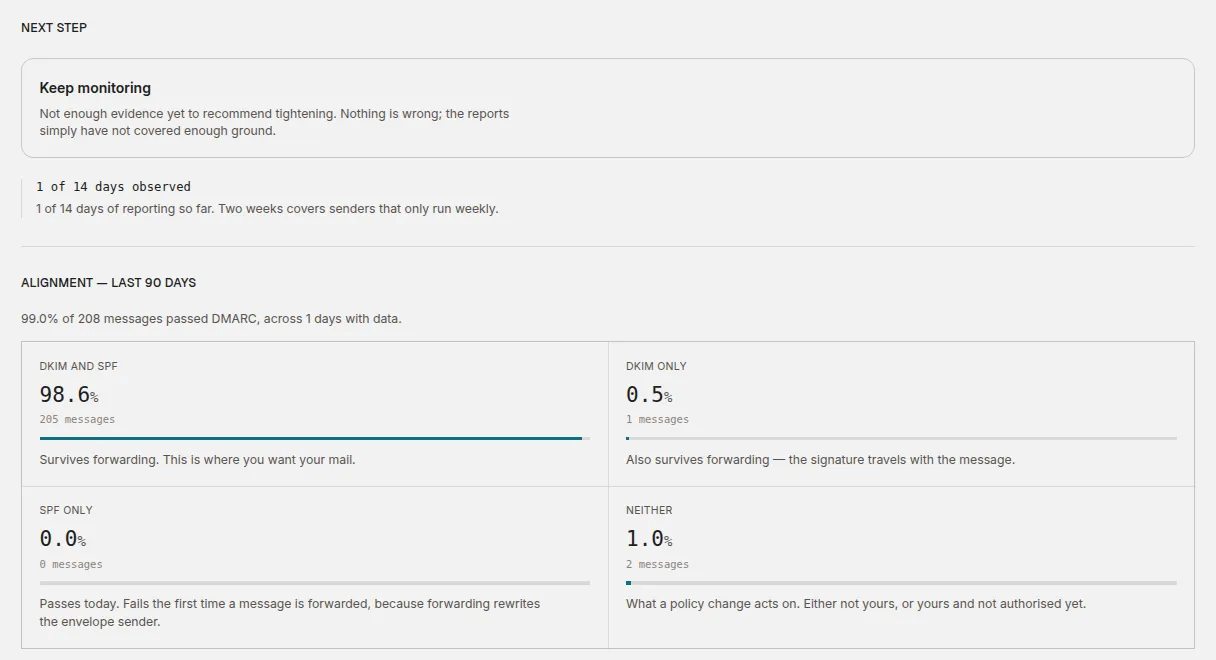
- Next step — the policy advisor’s recommendation. On day one it will say Keep monitoring, with how many of the days it needs it has seen so far. That’s normal; see the 14-day review for what it is waiting for.
- Alignment — how much of your mail passed DMARC, split by what carried it: DKIM and SPF, DKIM only, SPF only or Neither. Mail that passes on SPF alone passes today but fails the first time it is forwarded, so it’s worth knowing about before you tighten anything.
- Sending sources — the daily volume, and the busiest servers that sent mail as your domain, with a link to the full list.
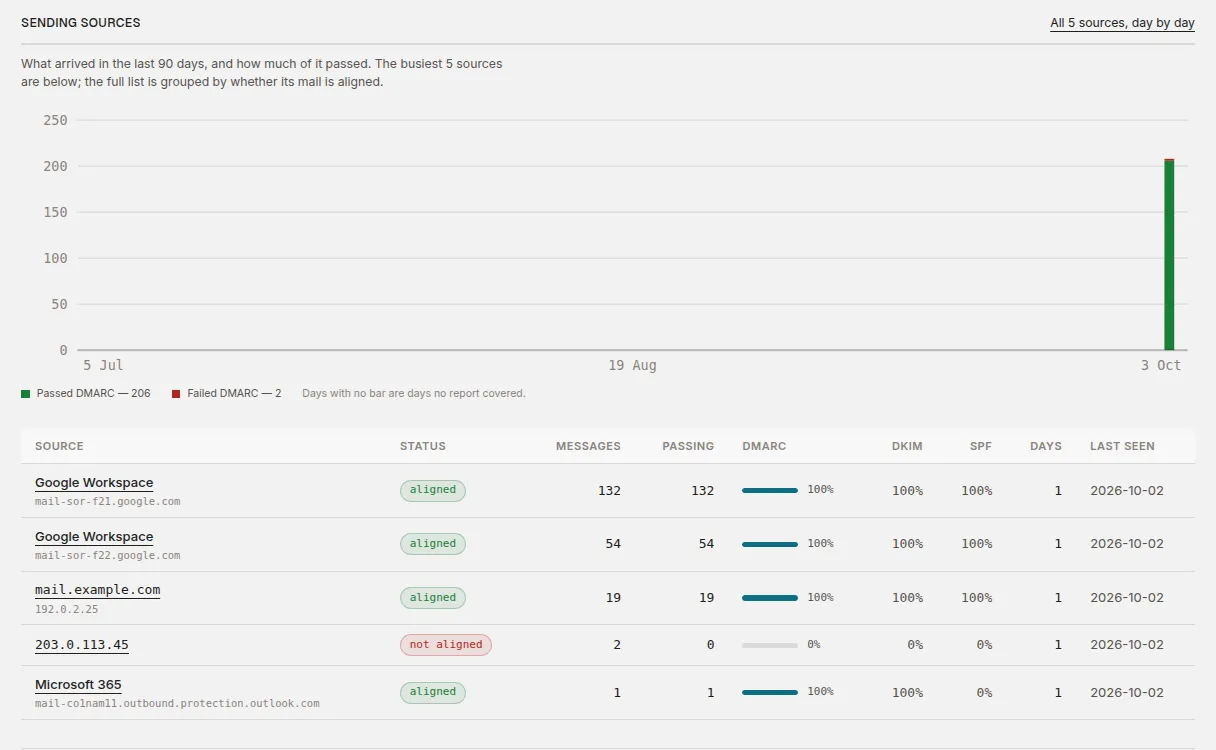
The Reports menu has the same information across all your domains: DMARC for the totals and Sending sources for every sender.
Read the first numbers with care
One day of reports is a sample, not a picture. Receivers report at different times, so the first day often covers only some of your mail, and senders that run weekly or monthly — newsletters, invoicing, payroll — won’t have appeared yet. Don’t change your DMARC policy on the strength of the first report; the advisor won’t suggest it either.
There is one useful thing to do straight away: start identifying your sending sources.
Next
Stuck? Reply to any email DMARCLoop sends, or contact us — a person reads it.