Moving to enforcement Step 11 of 30
Staying at p=reject
Enforcement isn't the end of monitoring: the alerts DMARCLoop sends, the weekly digest, and what to do when you add a new sending service.
Updated
At p=reject, the Next step panel reads Fully enforcing. The job from
here is noticing when that stops being true — a record edited by mistake, a
new service sending unauthenticated mail — before it costs you mail or
protection.
What keeps being checked
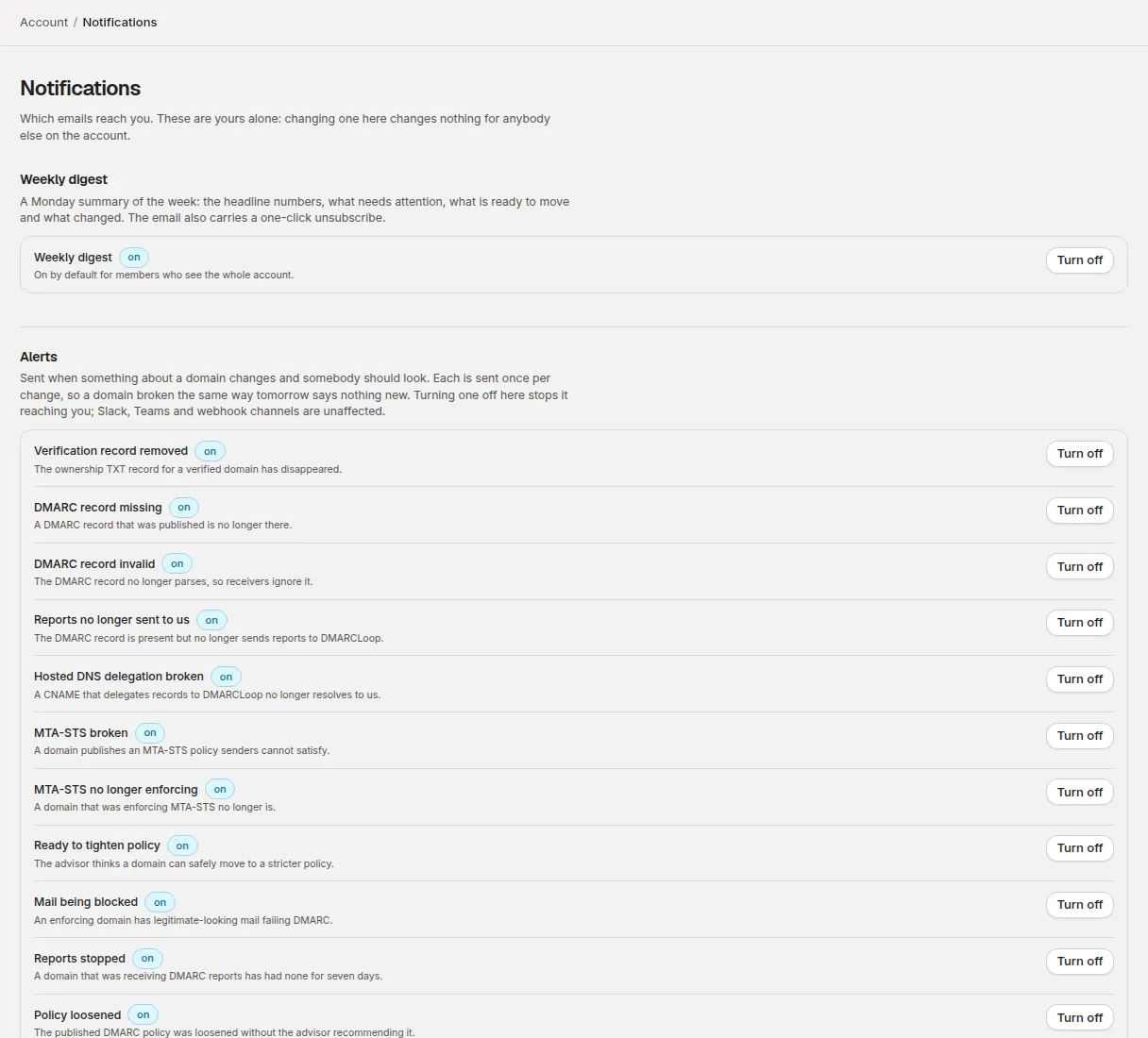
Every domain’s DNS is re-read daily, and reports keep arriving every day. On every plan, the people who can act on a domain are emailed when something changes that needs a person — Read only members don’t receive alerts:
| Alert | What happened |
|---|---|
| DMARC record missing | A record that was published is no longer there. |
| DMARC record invalid | The record no longer parses, so receivers ignore it. |
| Reports no longer sent to us | The record is there, but its rua no longer includes your reporting address. |
| Reports stopped | A domain that was reporting has had no reports for seven days. |
| Verification record removed | The ownership TXT record has disappeared. |
| Mail being blocked | An enforcing domain has legitimate-looking mail failing DMARC. |
Each alert is sent once per change, not once a day. Account → Notifications lets each person turn individual kinds off. On plans that include alert channels (see the pricing page), alerts can also go to Slack, Teams or a webhook — see Notifications and alerts.
The weekly digest
Once a week, the digest sums up every domain: how much mail was sent, how much of it was aligned and how that moved, what needs attention, what is ready to tighten, and what changed. It’s a separate switch on the notifications page.
Adding a new sending service
This is the usual way a domain at p=reject starts losing mail: someone signs
up for a new marketing platform or helpdesk, and its mail is refused from the
first send. Before it goes live:
- Set up DKIM for your domain in the new service, and add it to SPF if it needs it.
- Send a few test messages to an outside mailbox.
- Check the source appears under Aligned in Sending sources the next day.
If it turns up as Not aligned first, you’ll see it there — and if it’s sending enough to matter, a Mail being blocked alert names it.
Changing your DMARC record later
Whenever you edit the record at _dmarc, keep the rua address that points
at DMARCLoop. Removing it stops the reports, and the domain’s history stops
with them (you’d get a Reports no longer sent to us alert). If you use
another reporting service as well, both addresses can sit in rua together,
separated by a comma.
Beyond DMARC
With the domain enforcing, two more things become worthwhile, both on the domain page:
- BIMI — showing your logo next to your mail in supporting inboxes. It requires an enforcing policy, which is why it’s offered only now.
- Inbound TLS — MTA-STS and TLS reporting, which protect mail arriving at your domain rather than mail sent from it (on plans that include it). The free MTA-STS Policy Generator builds the records.
Stuck? Reply to any email DMARCLoop sends, or contact us — a person reads it.