Your first domain Step 6 of 30
Verify the domain
Run the ownership check once the records are published, what each result means, and how the domain page shows your DMARC record being picked up.
Updated
Once the records are published, tell DMARCLoop to look for them. Verification proves you control the domain; until it passes, the domain page shows the records to publish and not much else.
Run the check
On the domain page, choose Verify domain. The check runs in seconds and the result is saved on the domain, so a colleague opening the page later sees the same answer.
Most DNS providers publish a new record within a few minutes; some take up to an hour. If you’ve only just saved the records, give them a few minutes before you check.
Whoever added the records can also run the check without an account, from the Check now button on the read-only records page linked in the records email.
What the result means
| Result | What it means | What to do |
|---|---|---|
| Verified | The verification TXT record is published and matches. | Nothing. Leave the record in place. |
| No matching record | DNS answered, but the record wasn’t there or didn’t match. | Wait for your provider to publish it, or check it was saved — at the domain itself (@), with the value exactly as shown. |
| Couldn’t read DNS | We couldn’t get an answer from your domain’s DNS at all. | Wait a few minutes and try again. This one isn’t something you need to fix. |
The two failures are reported separately on purpose: “not found” means look at the record; “couldn’t read DNS” means the record may well be fine.
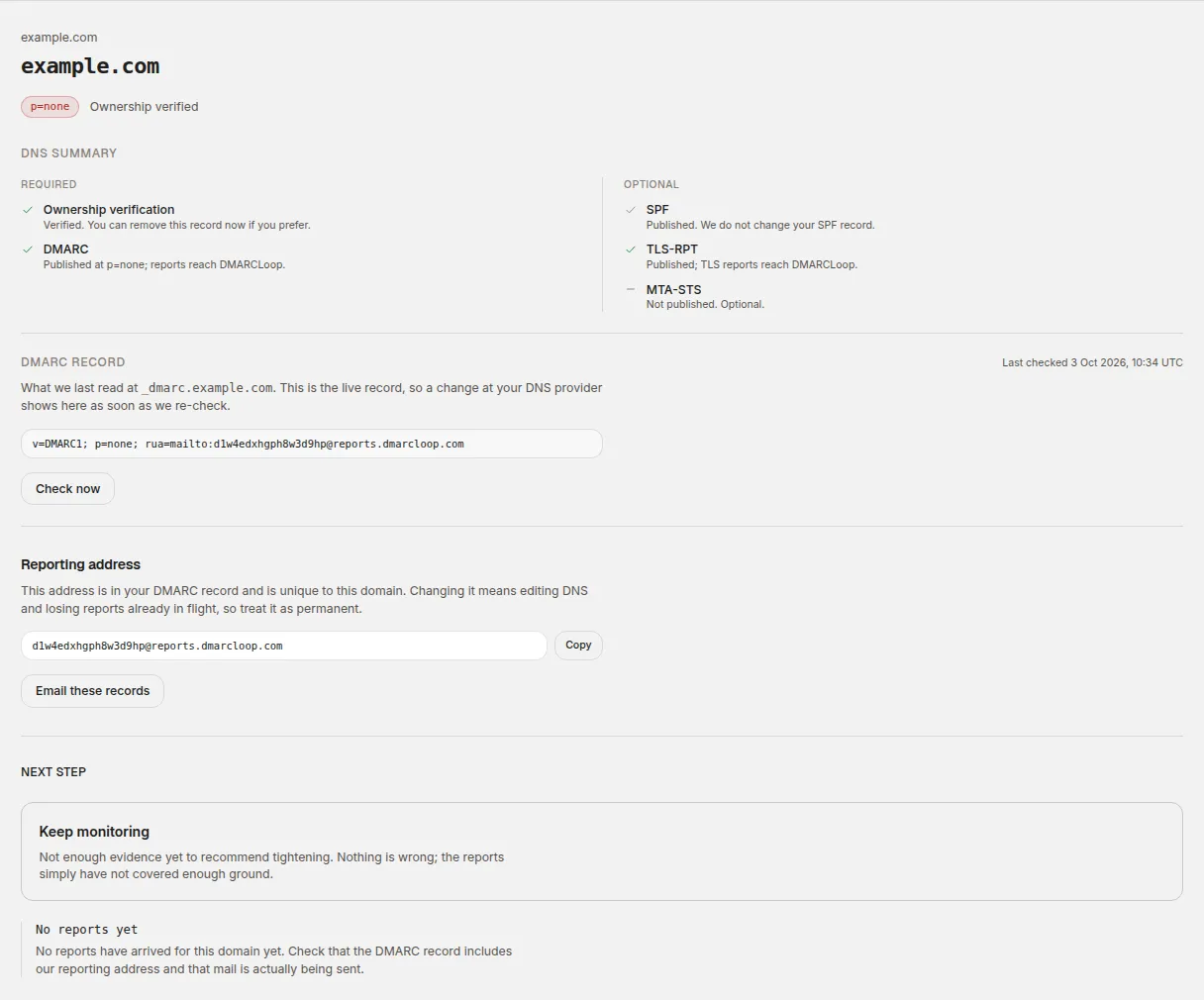
Your DMARC record
The DMARC record section of the domain page shows what we last read at
_dmarc.example.com, and when. It’s the live record, not what we asked you to
publish, so it’s the quickest way to see whether your change has been picked
up. Check now re-reads it immediately; otherwise it’s re-checked every day.
The status at the top of the page changes from not checked yet to the policy
you publish — p=none to begin with — and the line beside it to Ownership
verified.
Keep the verification record
Don’t delete the verification TXT record once the domain is verified. DMARCLoop re-checks it, and if it disappears the domain goes back to unverified and a Verification record removed alert goes out. It’s one short TXT record and does nothing else.
If nothing is published after a couple of days
If a required record is still missing, we send a reminder after two days, again after a week, and a last one after three weeks — each with the missing records, where to add them, and the records-page link. After the third, the domain simply stays in your account until you’re ready.
Next
Stuck? Reply to any email DMARCLoop sends, or contact us — a person reads it.