Your account Step 26 of 39
Use the API
Create an API key with a role, call the DMARCLoop API with it, find the OpenAPI reference, and know the rate limit and what a key can reach.
Updated
The API reads the same data the app shows (domains, reports, sources, the adviser, TLS and DNS checks, alerts and exports) and can add domains and publish records. It’s for your own scripts, a reporting sync, or DNS automation. API access is a plan feature; see pricing.
Create a key
API keys, in the left sidebar, is shown to Owners and Admins. Keys read reports, adviser and mail-security data, and manage domains and records, with the role you give them. They belong to the organisation, not to you.
Under New key, give it a Name, choose a Role and when it Expires (In 90 days, In a year or Never), then Create key.
| Role | Can |
|---|---|
| Read-only | Read reports and domains. |
| Analyst | The same as read-only. |
| Admin | Also add domains and publish records. In an MSP, an admin key also reaches your clients. |
Copy the key now: it isn’t shown again. If it’s lost, create another and revoke the old one.
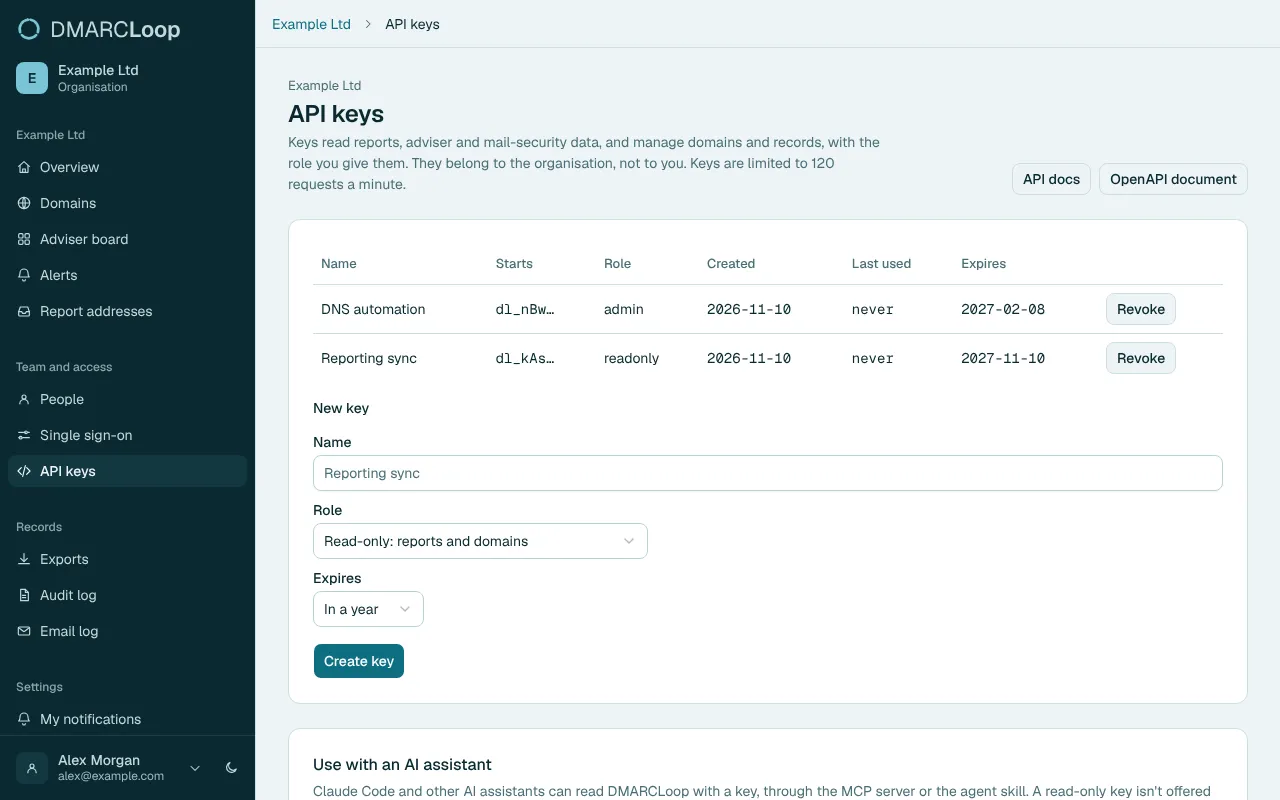
Each key is listed with the start of the key, its role, when it was created, Last used and when it Expires. Revoke stops it working at once: Anything using it stops working.
Call the API
Send the key as a bearer token:
curl -H "Authorization: Bearer <key>" \
  https://app.dmarcloop.com/api/v1/key
/api/v1/key says which organisation the key belongs to, its role, and the
client organisations it reaches. From there, the organisation’s id leads to
everything else, for example:
| Request | Returns |
|---|---|
GET /api/v1/orgs/{orgId}/board |
Every domain’s adviser stage, blockers and pass rate, in one call. |
GET /api/v1/orgs/{orgId}/domains |
Domains, each with its totals for the window. |
GET /api/v1/orgs/{orgId}/domains/{domainId}/sources |
Every sending source for the domain, classified. |
GET /api/v1/orgs/{orgId}/domains/{domainId}/adviser |
The adviser’s stage, next step, blockers and tasks. |
POST /api/v1/orgs/{orgId}/domains/{domainId}/dns/{type}/preview |
What publishing a record would do, without saving it. |
PUT /api/v1/orgs/{orgId}/domains/{domainId}/dns/{type} |
Publishes a record (admin keys). |
GET /api/v1/orgs/{orgId}/exports/report.pdf |
The organisation’s report as a PDF, under its brand. |
Reporting requests take days (7, 30 or 90, ending today) or a from and to
date (YYYY-MM-DD) up to 90 days apart.
The full reference is the OpenAPI document at
https://app.dmarcloop.com/api/v1/openapi.json, linked from the API keys
page. It describes every response’s fields as well as every request.
To use the API from Claude Code or another AI assistant, see Use an AI assistant.
Limits
Each key may make 120 requests a minute. Past that, the API answers
429 Too Many Requests; wait and retry.
Changes a key makes are in the audit log with the key as the actor. For events pushed to you rather than pulled, use a webhook.
Next
Stuck? Reply to any email DMARCLoop sends, or contact us - a person reads it.